Monday, April 8, 2013

TOS CREW Review- ABeCeDarian

 photo abecedarianlogo_zps0ce11eae.jpg
We love to read at our house!  Have I mentioned that before?  And I currently have a 5 year old that is learning how to read.  Therefore, anytime I am offered a chance to review a reading program I am giddy!
ABeCeDarian, developed by Michael Bend, PhD., is a company committed to teach reading using simple decoding strategies.  They were gracious enough to send us all of the following to review:
 
 photo studentworkbookA1_zps65d68892.jpg  
Set of 10 Storybooks- $21.50
Student Workbook A-1 $12.25
Teachers Manuel A-1 $28.50
Student Workbook A-2- $12.25
Teachers Manuel A-2- $28.50
Student Workbook B-1- $10.25
Teachers Manuel B-1- $25.50
ABeCeDarian  Aesop- $2.50
 
Level A is intended for grades Kindergarten through mid-first grade level and level B is intended for mid-first grade though 2nd grade. More levels are available on the website up to 6th grade.
 photo teachersmanualA-1_zps89a4a53d.jpg
Per their web site, ABeCeDarian achieves efficiency in the following ways:
  • It focuses only on essential skills and knowledge
  • It provides the right kind and right amount of practice
  • It provides precise and productive error correction


 Yes, that is a lot of materials!  And a little overwhelming at first.  But not for long.  Each teacher's guide has a well written overview of the program from the philosophy behind the program to the how to's.  Open the book and you are ready to begin.  Each lesson is clearly labeled and includes a word for word script to use in your teaching.   I found once I was familiar with each activity I did not have to use the exact wording they provided, but as with any new to me program, I love the initial guidance.  Each student workbook is broken into corresponding lessons with numerous activities. Each lesson begins with word puzzles in which your child unscrambles letters to make a word that you give them.  Each lesson adds new words, which are then used in the activities that follow.  There are also sounds and words to read and copy, sentences to read and copy,  letters to write and word chains and reading chains.  After several lessons you are then directed to let your child read a corresponding storybook that uses all of the words your child has learned thus far.  
How we used this program-
 photo storybooks_zpsd70a2e5a.jpg Since we had just finished another reading program, this review came at the perfect time.  I had all intentions of starting with level B since CJ knows his letter sounds, how to write the letters and how to read basic words, but after looking through the workbooks, I decided to start at the beginning to give us ample time to learn the program.  Such things like tap and say the sounds, saying a word slowly- "turtle talk", and then saying the word at regular speed- "people talk", were new ideas and I didn't want to by-pass anything.  That being said, we were able to do several of the 27 lessons a day in Level A-1 and are already half way through the A-2 level because of that.  If you have no problems starting in the middle, I would encourage you to take the placement assessment tests on the website to determine where to start.  
 
Our thoughts- 
We have really enjoyed this program.  CJ enjoys workbook pages as long as they are not too long, and we found that this program had just the right balance of written work and reading.  No busy work which I think you find often in many reading programs.  The storybooks are quite simplistic in presentation but ones we enjoyed.  My son loved that after one time reading them with me he could sit and read them by himself.  I think that helped build his confidence.  One of the things I noted with this program is that it really helped him learn to quickly sound out words that he could not remember immediately.   He is a sight reader by heart and before would hesitate to stop and sound out an unfamiliar word. 
 
CJ's favorite activity by far was the error game in which I would read a word on the page, sometimes correctly and sometimes incorrectly and see if he could catch me reading one wrong. It was a game he asked to play over and over again, even if it was not in the lesson for that day.  The other thing he loved were the spelling tests!  Yes, you read that right.  The silly boy thought those were fun!  The first one he took he got a 100% on and ran off quickly to tell his 11 year old brother that he did not get any words wrong and would give him spelling lessons later. 

My favorite activities were the spelling chains in which the student changes one letter of a word to make the new word you say.  For example map-tap-top-cop.  By doing this little exercise he learned to slow down and really look at the word he was reading.  His reading improved drastically and therefore wanted to read more.  Oh how excited he was when he could read to his grandparents this weekend!


As we are nearing the end of the A-2 level, I am excited to start on the B-1 level with CJ!  After that we intend to purchase the next levels and continue with this program.  It is just that good and for the affordable price, I do not think you will be disappointed.  If you are interested in seeing more ABeCeDarian examples, you can download samples from their website.  Click on the banner below to see what other CREW had to say about this program. 
 
Photobucket
 
 photo DisclaimerGraphic1_zpsf612f371.gif

Friday, April 5, 2013

Fun Fridays- Saving Money in the Kitchen


Welcome to the first week of
Saving Money in the Kitchen.
  I am so excited to get started on this series.  It has been brewing in my mind for a while now, but several of your questions and emails prompted me to get it out of my head and onto the paper.  Thank you!


Yes, my monthly budget for groceries really is between $400-$450 for our family of six.  I aim for $400, but depending on what our month looks like- company, parties, holidays etc. - it can be a little more.

I will try to take each week to concentrate on a different aspect of how I save money in this particular area of our budget.  None of this is rocket science.  Most of it is probably not even new to you.  But sometimes we just need a reminder or a gentle nudge to get started.

Consider this your NUDGE!

Here we go!

Let's start with meat, as that is often one of the most expensive items in your cart at any given time.   I do get most of my meat from the commissary, but you can use these same ideas anywhere.  Let me preface this by saying, this is not organic meat.  I know, I know.  Trust me, it concerns me too, but that is one place I just have not changed over yet.  It is our goal after our summer move to buy local organic meat in bulk, but that is simply not where we are at right now.  Hopefully soon.  Until then...

Buy whole chickens in large quantities whenever you find them on sale.  Be on the lookout for .99 and even .79 sales!    Stick it in the crockpot with some water, onions and spices and you are on your way.  After it is cooked and de-boned I freeze Mr. Chicken into 2 cup portions to be used later.  Think soups, casseroles, burritos, enchiladas, and chicken salad.  Depending on the size of your chicken you can usually get 3-5 meals out of one chicken.  If said chicken cost you $5-$6 you have stretched your money by a ton.  $1.50 per serving is a bargain!  Don't forget to freeze the broth as well.  I have not bought cans of chicken broth in forever!!!


Split your chicken breasts in half!  Usually the breasts you buy are NOT a standard healthy portion. Trust me on this one.  In a world of super sizing we kid ourselves in what a portion really is. Get out a kitchen scale if you don't believe me.  By slicing the breasts in half we double what we have and are eating healthier.

Buy large cuts of meat when they are sale.  Turkeys are cheaper at Thanksgiving.  Hams are cheaper at Easter.  Buy several to stock up!  Once cooked they can be used for multiple meals.  Case in point...I got our Eater Ham for $14.00 on sale.  We ate ham for three meals, froze one 2 cup portion and two 1 cup portions of diced ham for homemade pizzas or casseroles, and three packages of ham slices to use later. That is nine meals... at a fraction of the cost!
 

Let's chat ground beef for a second.  We do not eat a lot of red meat, but we do like a good hamburger occasionally, tacos and meatballs even.  But ground beef is expensive.  Ground turkey, not so much.  So for about half our meals that call for ground beef, I substitute ground turkey. Sometime I will use half and half.  Easy!

Go meatless once a week!  Here is one that I do not do as well as others because I have picky eaters who do not care for beans.   (except CJ, of course!)  But, by buying beans in bulk rather than cans and cooking them yourself you WILL save!  Another way to do this is to cook soups.  There are plenty of recipes out there for meatless soups that when paired with rolls or some homemade bread make a hearty meal.

Eat breakfast for dinner once a week.  I started this at our house because the kids thought it was fun.  Since then, I have realized it is also cheaper.  From everyday staples like waffles or pancakes to french toast and even breakfast casseroles, you can save money with breakfast food.

Buy pork chops.  I realize pork is an off limit food for some, but if it is for you consider buying it more often.  Pork chops are less expensive than chicken and I think sometimes we just forget they are an option.

OK, I know this one is not meat, but I am going to slip it in since I have mentioned bulk buying...

Buy side dishes in bulk.  We do this in our house primarily with potatoes.  A 10 pound bag is cheap when on sale.  When we were growing them ourselves, it was even cheaper...and made me oh so happy!  (You can grow potatoes in large buckets, bales of straw and even large trash cans.  Do not let space alone be your excuse for not growing them.  It is easy and your kids will love it!) We can get a lot of side dishes out of one 10 pound bag of potatoes!  Homemade french fries, roasted potatoes, mashed potatoes, hash browns!   I figured out the savings once of that one bag of potatoes compared to what it would have cost me to buy bags of the frozen equivalents and the difference was about $14.00.  Never mind the health benefits.  We also buy brown rice on bulk!

So there you have it.  Told you it wasn't rocket science.  And no coupon cutting was even involved. This month we spent right at $100.00 on meat.

Come back next week and I will break down the $400.00 even more for you and focus on the dreaded snack foods!

Questions?  Ask away!  More money saving ideas?  Please share!

Until then, Happy Shopping!


Linking up with Caroline at The Modest Mom today!

Wednesday, April 3, 2013

TOS CREW Review- Computer Science For Kids


 photo ComputerScienceForKidsProgrammingTutorialsLogo_zps071e1e50.jpg

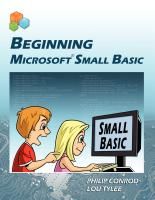
I will admit it- I have a love hate relationship with my computer.  Well, not just mine, but any.  I am just not a high tec kind of girl it seems.  Luckily for my children, I DO want them to be high tech kind of kids.  Enter Computer Science For Kids, a company devoted to teaching kids basic computer programming.  We recently were able to use the Beginning Microsoft Small Basic program (recommended ages 10 plus) for our 11 year old son with great success.  Luckily for me, my husband took on the role as teacher and walked him through the lessons each week.  Not that I could not have done it, but, hey, they probably had more fun together than my son would have had with me. 

So out of the mouth of my husband...
Downloading the Microsoft Small Basic program is pretty simple and so is the curriculum.  I really liked how the 11 chapters were broken up and could be saved and viewed as Word documents or Adobe PDFs.  I was able to review the lesson beforehand and then bring it up with my son on the computer screen as we went through the material.  Another plus was the format.  Each lesson started off with some basic programming information and then moved to a simple program designed to show the student how to use what was learned earlier in the lesson.  I really like this hands-on approach as it speaks to my learning style and I think my son was able to grasp the material without having too much further instruction.

In addition to the chapters/notes for each lesson, the curriculum included over 20 example Small Basic programs for us to study and modify as needed.  I even had my son create his own program based on my 6 year old's favorite question.  "When I am 10 years old how old will my brother/sister be?"  Our program now allows him to type in an age and it will show him how old each member of the family will be.  This was not part of the curriculum and is a pretty simple program but it did show my son how he could "see the need" and create a program for the computer to do the work (math in public) for him.

I will say that I have had some basic programming instruction and so has my son so we were able to move fairly quickly through each lesson.  It was also helpful to have the lesson and Small Basic both up on the screen where it was easier to copy and paste some code instead of waiting for the 11 year old who doesn't type find his way around the keyboard. 

All in all we enjoyed using Computer Science For Kids and discovering what Microsoft Small Basic could do.  I would recommend using this program to get your youngster started as a computer programmer or at least give them the exposure and knowledge that there's more to that pretty little icon that sits on your desktop. :-)

Reviewing a lesson


Our age program

A note from the momma-
I know that not everyone has the luxury of dad being able to teach a school subject, but occasionally we are blessed with that luxury.  It was fun to see these two work together to solve a problem and even more fun when they would call the rest of our family in to show us the latest program they had created.  I am eager to see what they will program next as they continue these lessons together.

Fine details-
The course requires XP-SP2, Vista, or Windows 7, ability to view and print documents saved in Microsoft Word format, and the Microsoft Small Basic development environment (Version 0.9 or higher).

Pricing-
Instant Internet "Download Only"
Digital E-Book Edition
Single User License
Item #111-DL $59.95
$34.95
(SALE PRICE) Sale price good through July 4th, 2013!

 
Photobucket
 
 
 photo DisclaimerGraphic1_zpsf612f371.gif

It's Budget Time!

To get ready to kick off a new Fun Friday series on Saving Money in the Kitchen, I thought I would start with a little background on our budget.  I have mentioned it before, but wanted to break it down a little more for you. Please keep in mind, I am no expert at this.  We have read a lot of books, taken a few classes, read some more and been encouraged by several friends.  (Check out Dave Ramsey and Crowne Financial for a starting point.)  The following is a mixture of all and is what works for us.  I encourage you to do your research, pray about what God would have your family do and take the plunge if you have not done so already.  Budgeting has blessed us and allowed us in return to bless others...I only wish we had started at the beginning of our marriage.

I keep a little notebook with all of our categories written in it. (There are 18.) Each one then has the amount written at the top of the page with how much money goes into that category each month.  Each time we spend in that particular area, I enter the date, what we spent and the remaining amount available.  Similar to the envelope system many use, but on paper instead.  Yes, you can use any computer program to track, but I am a paper kind of gal!  The exceptions are: Allowances (ours and the kids), clothing and entertainment.  For these particular categories we do withdraw money and put in envelopes.  I have found it is just easier to keep up with.  Of course, any money left over in a category gets pushed into the next month's balance.


Groceries
                                                             $400.00
4/1 Kroger
176.95                                                 $223.05
4/1 Commissary
102.39                                                 $120.66

Our other categories include:
Groceries
Gas
Home Maintenance
Vacation
Savings
Dry Cleaning
Gifts
Car License/Tags
Car Maintenance
Homeschooling
Utilities
Haircuts
Pets
Rent
Lessons (piano, dance)
Tithe
Insurance
Phones

Each category has a set amount of money assigned to it that does not change from month to month.  Therefore if you do not have an expenditure that month your money will begin to add up in that category.  So when your car needs new tires, a ha, you have enough money sitting there waiting. 


Things like car problems or house maintenance problems are no longer panic moments for us because we set aside money each month for those things.  Vacations are easier to plan when we know how much we are able to spend before we ever go.  When it comes time to buy new curriculum for our year, the money is waiting.  You get the idea.

How did we decide actual dollar amounts?  Some were easier than others.  Take car maintenance for example.  We have two cars and are still currently upkeeping the car our oldest daughter is driving.  We figured out how many oil changes etc. each would need in a year, added it all up and then divided by 12.  There is the amount you should put away each month.  Do it for every category and you are ready to go! 

Honestly, the hardest category for me was the gifts one.  It forced me to write down every person I buy for and every occasion and assign a dollar amount to them all.  It was an eye opening experience for me and really made us reevaluate some areas.  It also now forces us to be super diligent about spending.  When figuring this one up, you can't forget little things like Easter, Valentine's Day, weddings, baby showers and on and on!  Let me forewarn you friends, this can be a major budget breaker!


One lesson we learned quickly, as your categories start to build up you have the tendency to accumulate a lot of money in your checking account.  As you accumulate more money you are more likely to spend it.  You know, "Hey, look what my bottom line says! I have lots of money left to spend!"  To avoid that temptation, categories that are not necessarily monthly occurrences for us, like maintenance categories and gifts, are transferred automatically to a separate account.  Then when we spend from those I just transfer the money back over to our primary checking.  Again, works for us.

Yes, my husband and I get allowances right along with the kids.  You didn't think I would breeze past that one, did you?  It is basically slush money to spend on whatever comes up that often does not fit perfectly into a category.  Snack at work, treat for the kids, whatever.  Or how about the going away gift at work you had not planned for, or sport pictures you forgot about.  Or the extra fun activities your child gets invited to and you want to help pay for them.  This is the money that tends to get eaten up the quickest at our house.

And that brings me to what started this whole post in the first place- the Grocery Budget.  How sad is it that one of our biggest categories is Groceries?!  I mean, really, that makes me crazy!  Some day I hope to grow most of our own food, but until this military moving family settles down, we are stuck paying others for our food.  It stinks, but one has got to eat.  In an effort to cut that category down as much as possible, I have worked hard!  And THAT is what I want to share with you this month for our Fun Fridays series!


I hope you will join us!  See 'ya on Friday!


Monday, April 1, 2013

TOS CREW Review- A Journey Through Learning

A Journey Through Learning Lapbooks is a delightful company created and owned by two best friends, Paula and Nancy.  Started on a whim to fill in the gap of much needed hands on materials for their own children, this company has since grown to include lapbooks, notebooking pages, copywork practice sheets and unit studies that support Apologia, Veggie Tales, Truth Quest History and more.  Between the $1.00 Quick lapbooks, a $5.00 lapbook of the month, and tons of amazing, reasonably priced lapbooks and unit studies, you can teach your children for years to come! 


Journey through Learning Logo photo journeythroughlearninglogo_zps21c38856.jpg

For the past four weeks we have had the privilege to review FOUR of A Journey Through Learning Lapbooks using the downloadable versions.  The downloads are easy to use. Just download the product you chose, copy the pages on white or colored paper and go! New to lapbooking? You will need two to three file folders to make each lapbook. All it takes is a few easy folds, which are illustrated in the printed material for those who need a little guidance.

What we received-

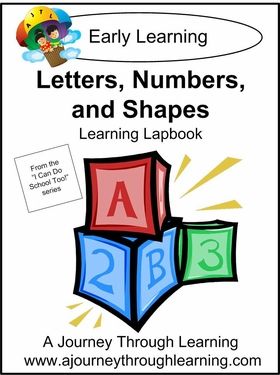
Letters, Numbers and Shapes is intended for early learners.  This lapbook includes letter and number recognition, counting and shapes.
  Instant download-$13.00
  Printed-$20.00
  CD-$14.00
  Assembled-29.00
 
The Earth, a lapbook for grades 1st-4th, covers the Earth- from the layers of the earth to the layers to the atmosphere to everything in between.
  Instant download-$13.00
  Printed-$21.00
 
Knights and Castles, our favorite lapbook, is for grades 2nd-7th.  Here you will learn about the middle ages, and the knights that lived them.  From what they wore, to the weapons they carried, your child will soon want to become a knight!
  Instant download-$13.00
  CD-$14.00
  Printed- $21.00
 
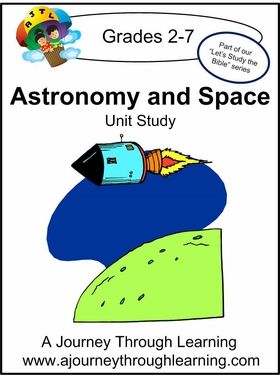
Astronomy and Space Unit Study is a little different as it is not an actual cut and paste lapbook.  Instead it is a unit study intended for grades 2nd-7th, including sections to read followed by questions to answer.
  Instant download-$13.00
  Printed-$21.00
  CD-$14.00
 

How we used these products-

I was not sure we would use the Letters, Numbers and Shapes once we got the downloads, but since CJ had never done a lapbook before and because he wanted to do one like his older brother, we jumped in.  I am so glad we did!  Though he is on the upper age limit for this particular lapbook, we had such fun with it.  Each page provided an extra opportunity for him to review concepts he already knew, but they also gave him the opportunity to practice his cutting, gluing and coloring skills.  No small thing for a 5 year old BOY! 

One of the fun things about these lapbooks is that they come with several additional resources.  For Letters, Numbers and Shapes there were finger plays,  game suggestions and other related activities, recommended book lists and an A-Z list of things to do with each letter.


How do I know he liked it?  Once he was finished, he wanted to show everyone!  Now that we are done, he pulls it out frequently to look through it by himself.


For my 11year old son, currently a 5th grader, we tried out the Knights and Castles lapbook as well as The Earth.  Because of the higher levels these lapbooks are presented a little differently.  Each day you have a page or so to read teaching you the lesson for the day.  Then the child notebooks the facts learned into various little books which they will then cut out, assemble and glue into their lapbooks.  I love notebooking, but have found in the past that it can intimidate my son.  He just seems to look at a large piece of notebook paper and freeze up.  By having a smaller scale "book" to write in, he was more easily engaged and complained a lot less!  Yea!  The Knights and Castles Lapbook was, by far, his favorite, but we enjoyed doing both.  I even noticed that he had pulled out many of his knights books in his room once we began this study.  There is no doubt that the lapbook fostered a desire to know more and therefore could be used easily in a unit study.  Included also in these lapbooks are additional book lists and resource guides as well as additional activities to do to take your learning to the next level. 


Now that we have completed the first three lapbooks we have decided to continue on, starting today, with the Astronomy and Space unit study.  Again, I just printed out the study but this time bound it so it would be easy to use in a book form.  Why do I love this study already?  The very first thing you will see when you start is Genesis 1 quoted and then copy work using Genesis 1:2!  Trust me from experience when I tell you that finding a science program of any kind that teaches Creation is hard!  I was thrilled to find it in a unit study!  From the first lesson, your child will read a section of information and then answer a few questions about what they learned.  Some readings are followed by a fun activity such as making a diorama of outer space or making Sun S'mores.  Throughout the study are underlined vocabulary words that can be defined in the back pages of your study, resulting in your own little space dictionary.  There is also a book report template, with versions of it for older children as well as younger children.


So what do we think?
We have done a few lapbooks in the past with my two older girls, and quite honestly, I was not sold on the concept.  But, hey, a girl can change her mind, right?  I love this company!  I love their lapbooks!  I love that they have ones to go with holidays, historical events and other popular homeschool companies.  For my girls, I think we got to caught up in the artsy side of things and got distracted from the learning.  But this time around I found that the lapbooking helped my boys focus in on the lesson and what I was reading to them.  The smaller scale of notebooking in the mini books intimidated them less and allowed them to really enjoy what they were learning.  The cutting and pasting even encouraged them to slow down and pay attention to what they were doing!  The only complaint my oldest son had was that he thought the pictures on the mini books were a bit babyish for his age group. We would have loved to have seen more museum quality pictures, rather than cartoon type ones.

Will we do more?  You bet!  I already have a growing list of the ones next on our agenda!


Photobucket


 photo DisclaimerGraphic1_zpsf612f371.gif